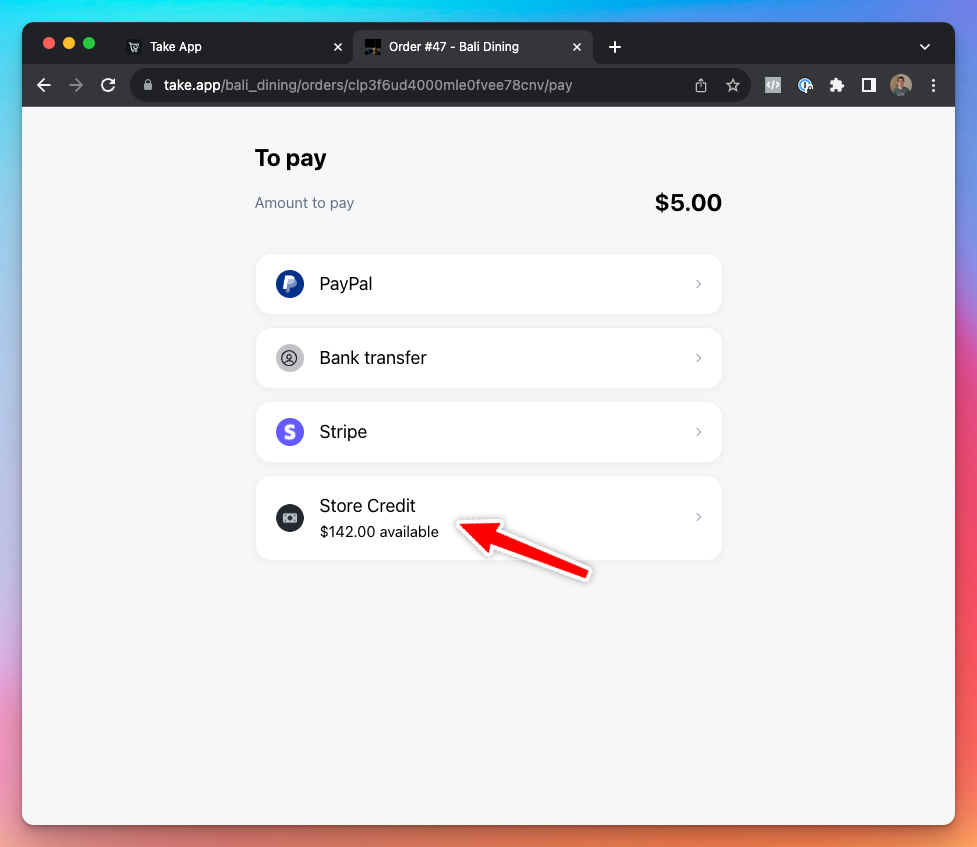
Customers can pay orders with their store credit.
How to set up store credit as a payment method
-
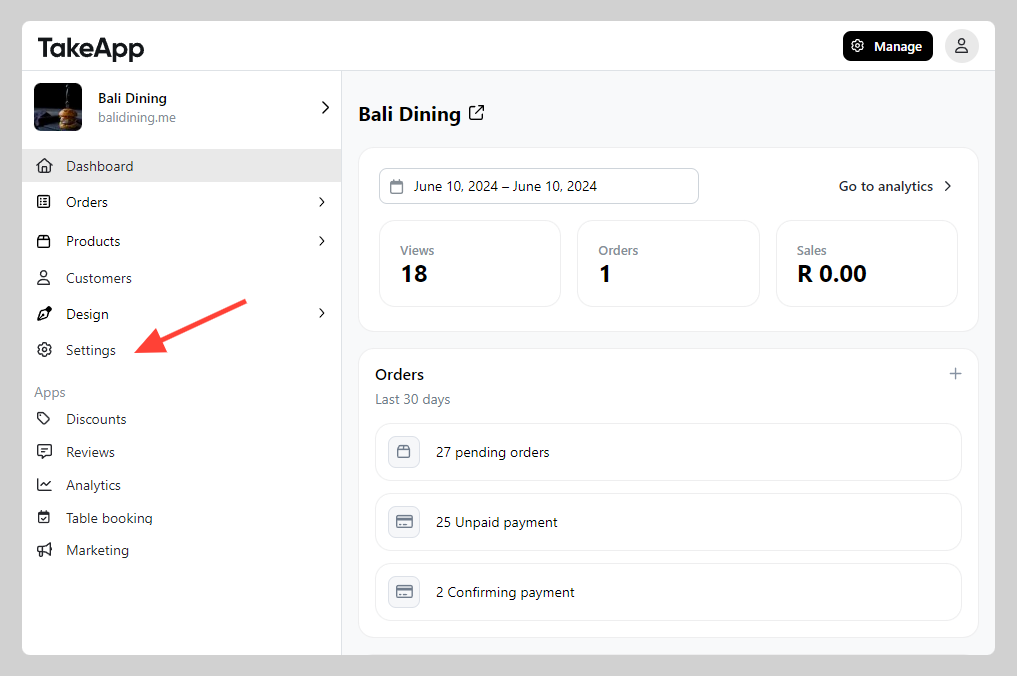
Go to Admin > Settings.
-
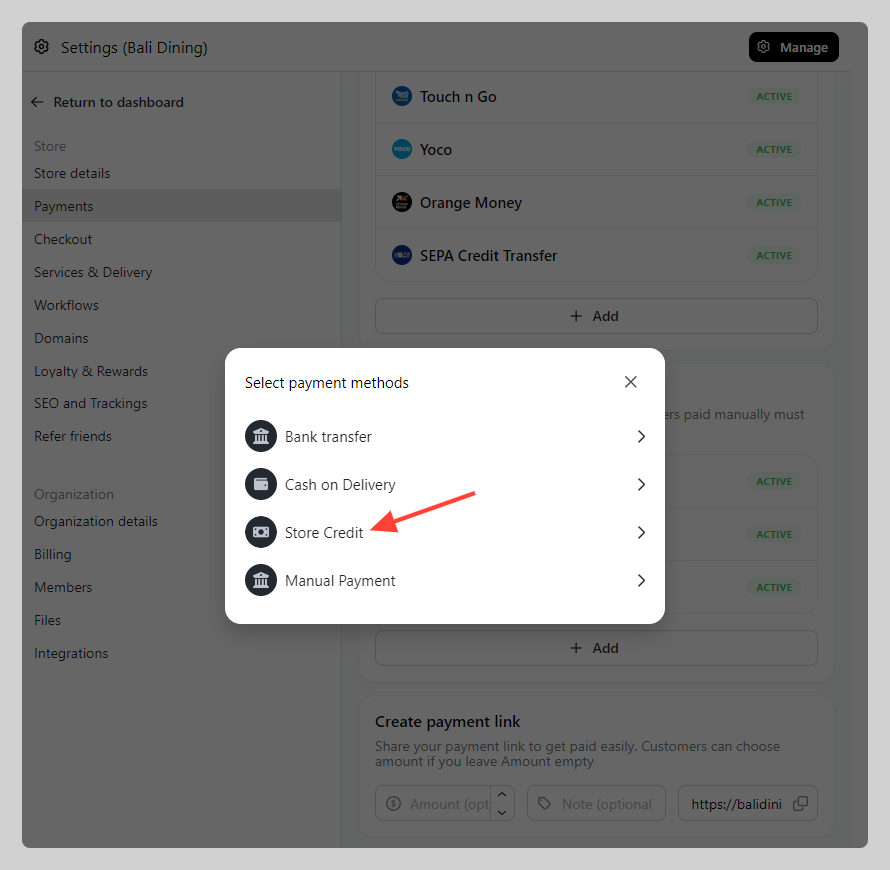
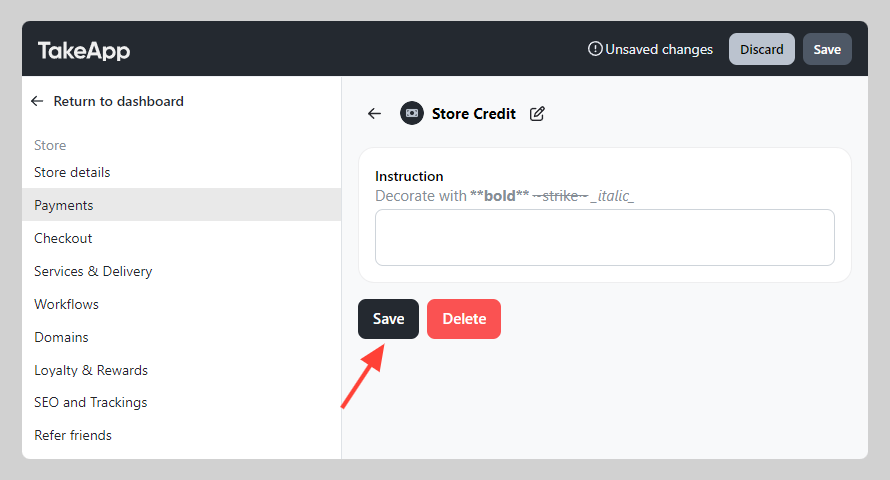
Payments > Manual Payments > Add "Store credit" payment method. Click
Save.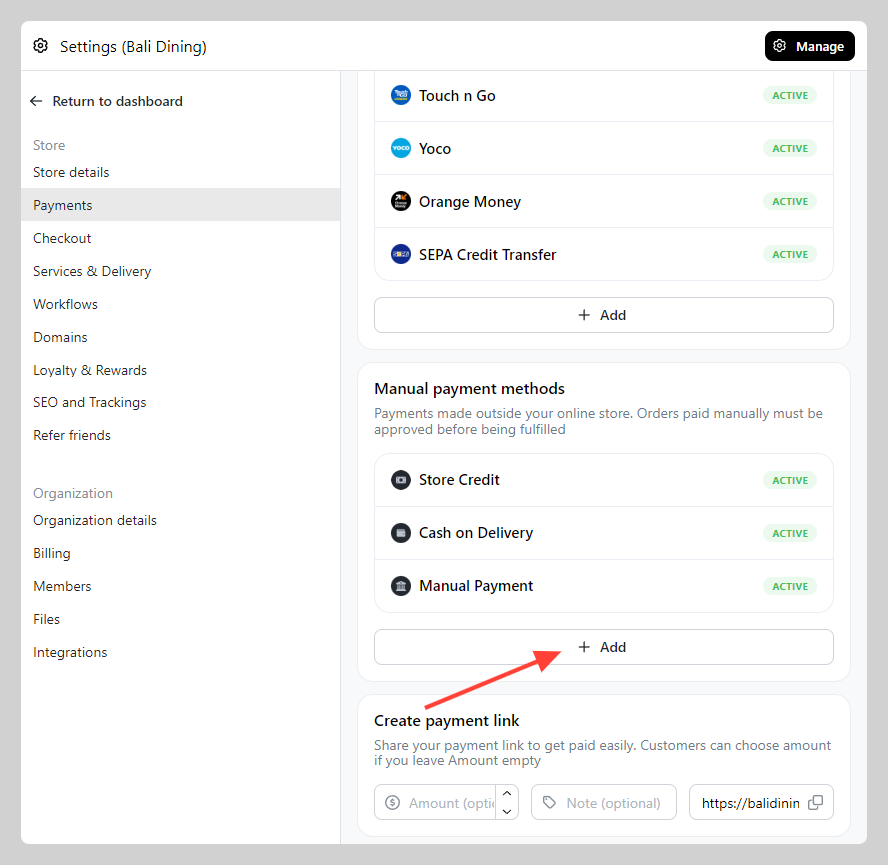
-
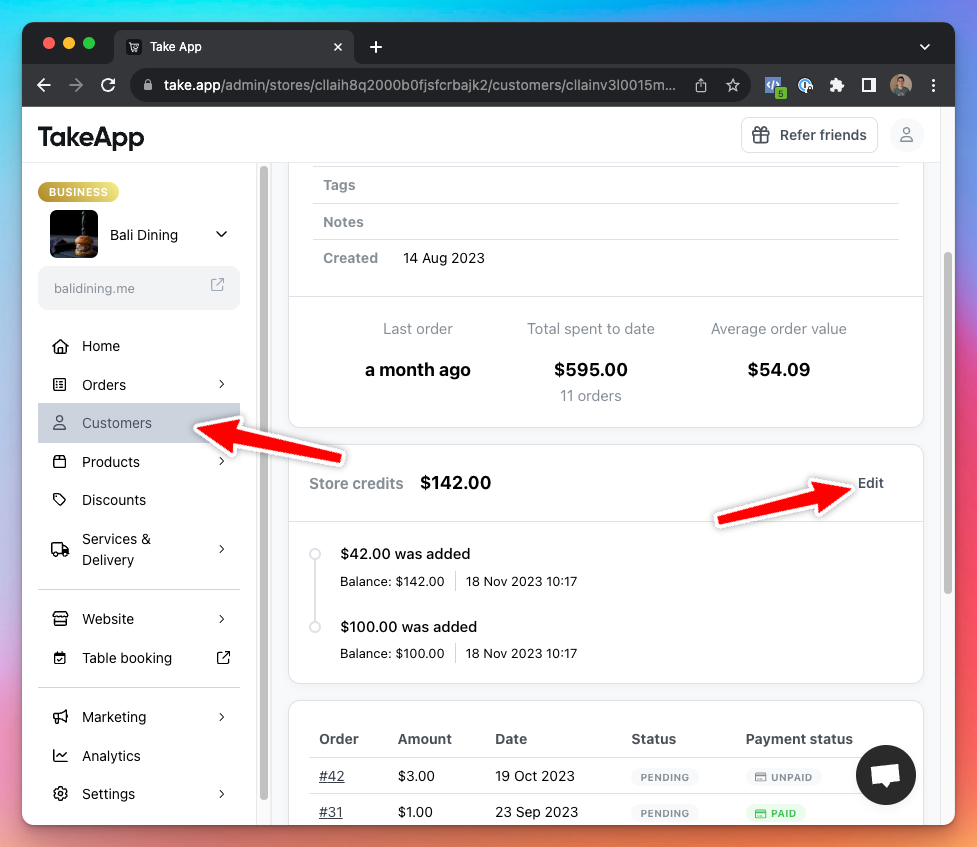
Adjust each customer's store credit in Admin > customers.
-
Customers will see
Store creditpayment method in the order payment page.