How to change payment status in bulk
-
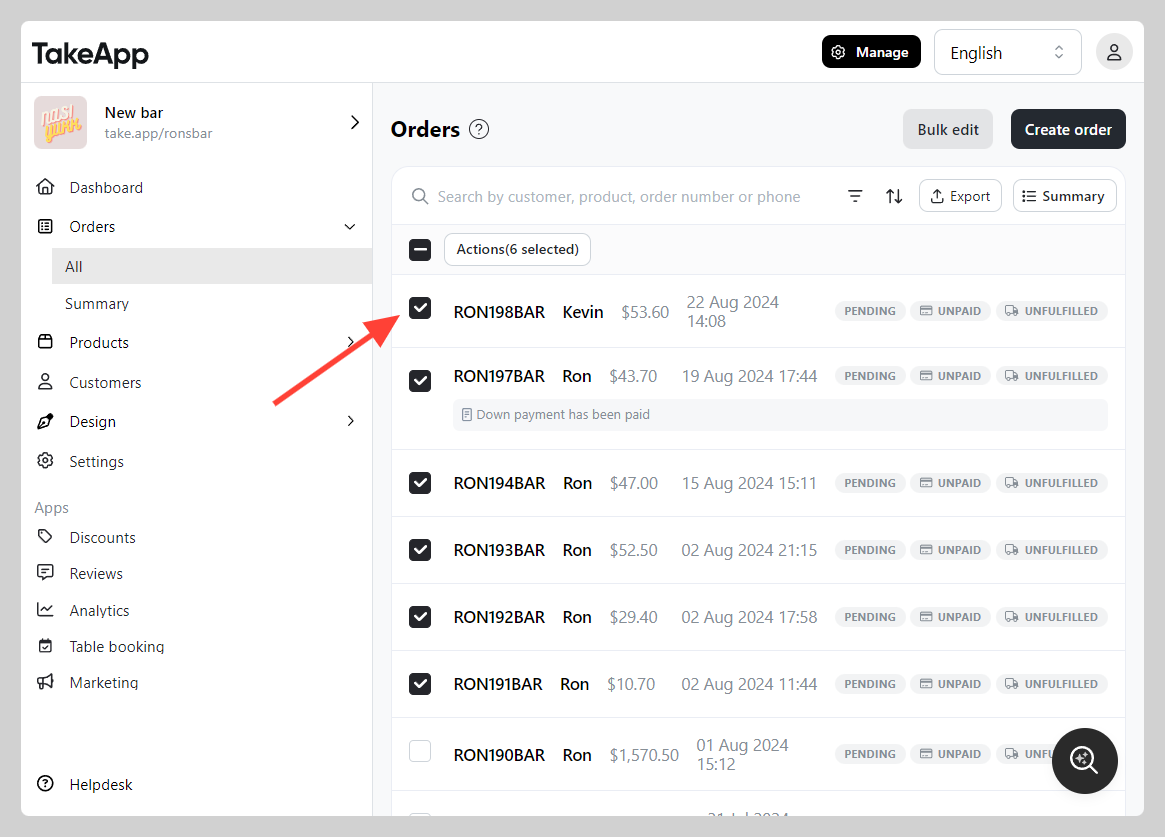
Go to Admin > Orders > All > Tick all orders that you wish to change the payment status.
-
Click
Actionsthen chooseChange status.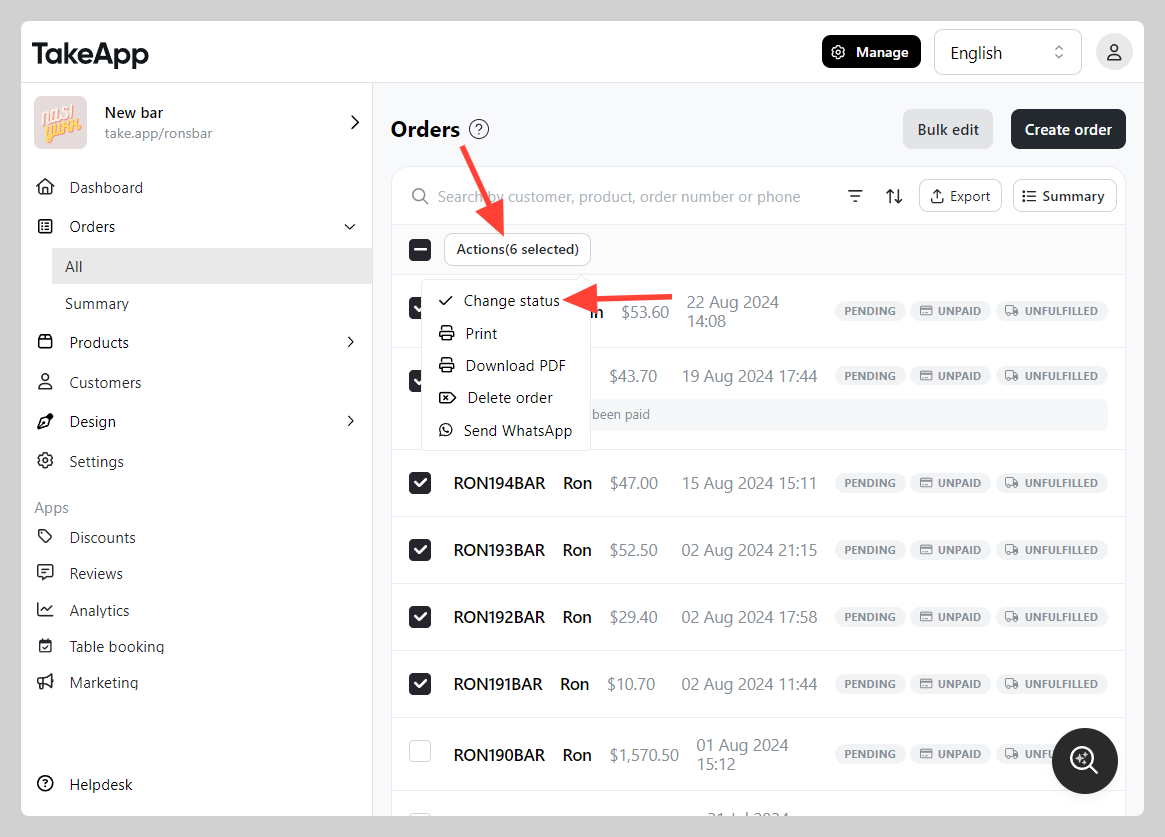
-
Choose the payment status that you wish to change. Then click
Save.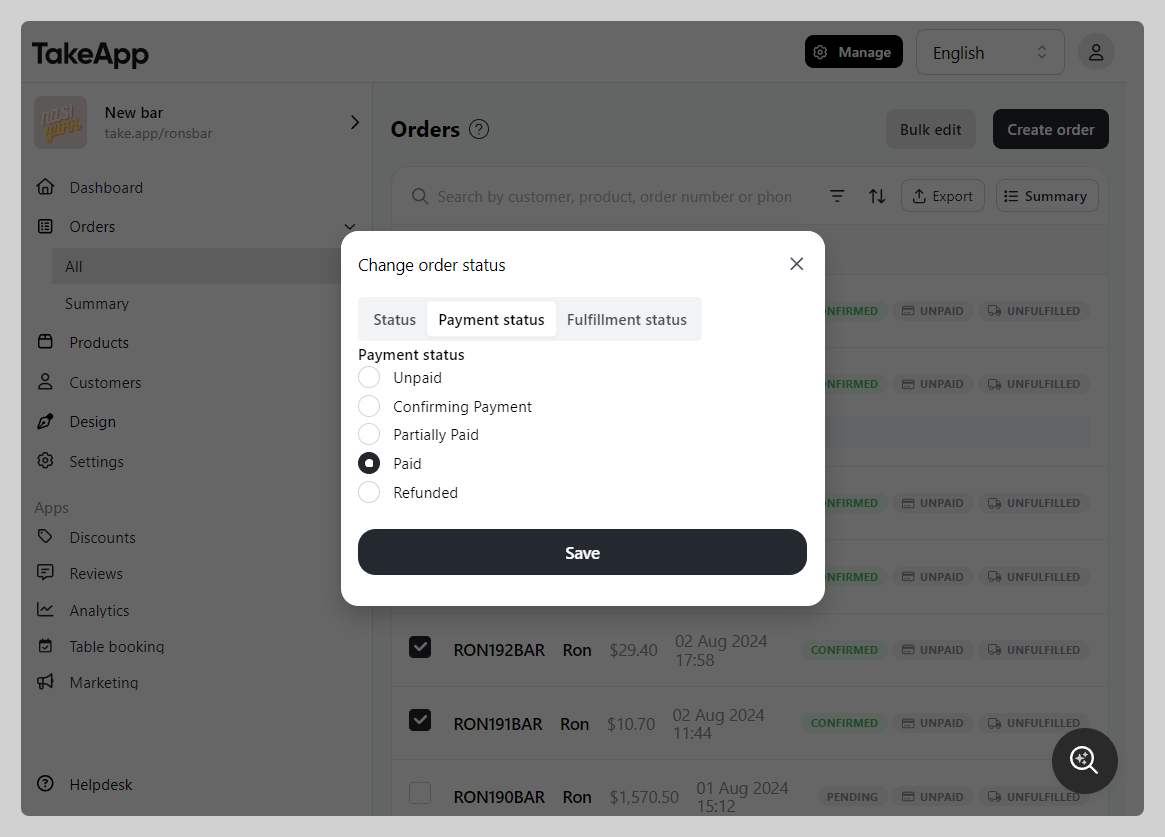
-
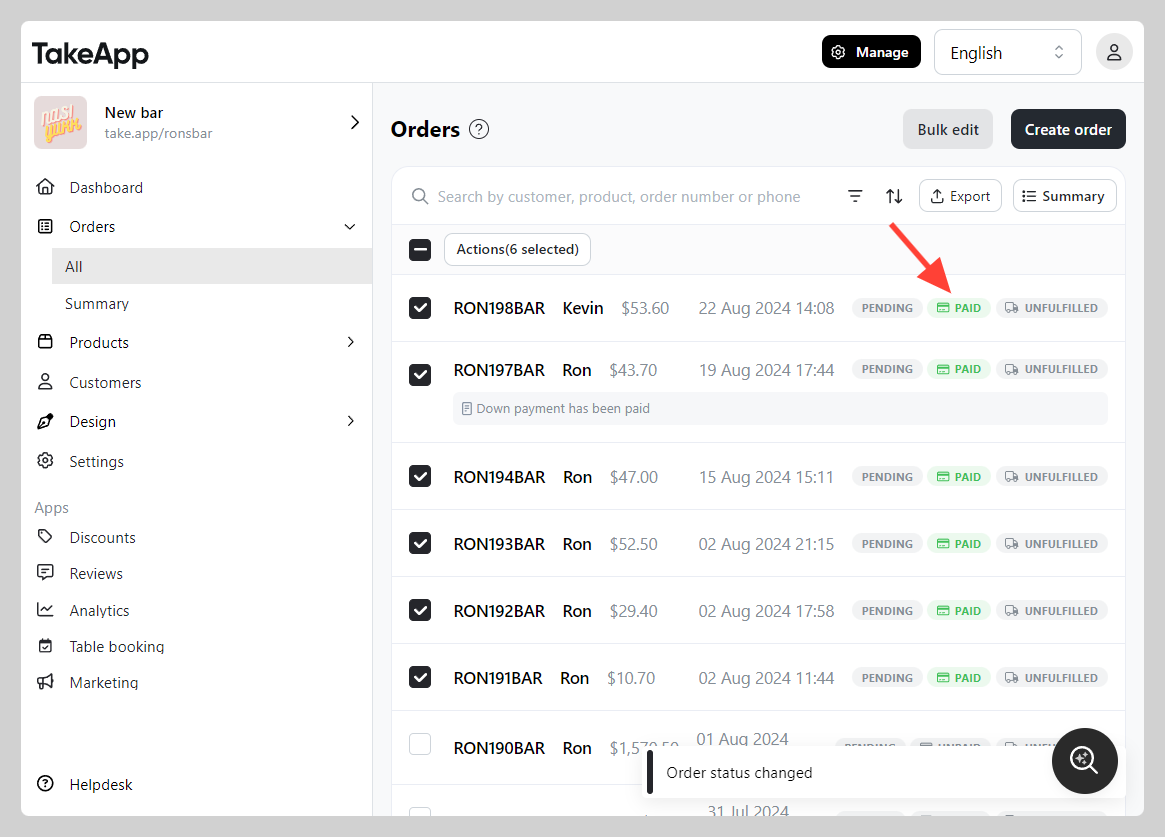
Check if the payment status has been changed correctly